
Video to Text: How AI Is Changing the Way You Deal With Video Content
Think about how much video you scroll through on a normal day. TikToks, YouTube tutorials, Zoom calls, webinars, random Instagram reels your friend sent you at midnight. Video is everywhere now, and honestly, it's taken over as the way people share ideas online. But here's the annoying part: video is hard to search, hard to skim, and you can't exactly copy and paste a spoken sentence. That's the gap "video to text" fills, and it's quickly becoming a term you'll want in your back pocket.
Why This Term Is Showing Up Everywhere
Every wave of internet slang tells you something about what people are actually doing online at the time. A while back it was all "LOL" and "BRB." These days, the phrases that matter tend to be tied to getting things done, and video transcription fits right into that category. If you make content, you need captions. If you're in marketing, you want a searchable transcript for SEO. If you're a student, you want your lecture turned into notes you can actually study from. If you work remotely, you probably don't want to rewatch a whole meeting just to find one thing someone said.
So turning video into text isn't some obscure tech trick anymore. It's starting to feel as normal as screenshotting a tweet or bookmarking an article for later. And once you start using it, it's kind of hard to go back to the old way of doing things, where you'd sit there with a notebook pausing and rewinding every few seconds trying to catch a quote.
So What Does "Video to Text" Even Mean?
Put simply, video to text (also called video transcription or speech to text) takes the spoken audio inside a video and turns it into a written document you can actually edit. Instead of scrubbing back and forth through a 45 minute video trying to find one quote, you get the whole thing typed out, ready to search, copy into a post, or translate into another language.
This used to mean paying someone to sit and type out every word by hand, which could take days depending on how long the video was. Now AI tools handle it in minutes, and honestly, the accuracy has gotten pretty impressive. What used to be a whole production, hiring a transcriptionist, waiting on a turnaround time, paying by the minute, has basically been replaced by uploading a file and waiting for your coffee to brew.
A Tool Worth Bookmarking: Soundwise.ai
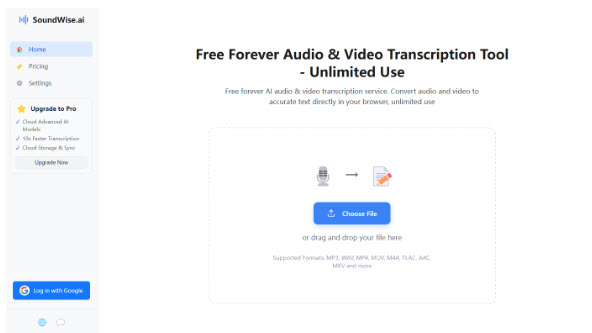
One platform you'll probably run into if you look this up is Soundwise.ai. Their Video to Text tool is free to use, works right in your browser, and turns video files like MP4, MOV, MKV, and M4A into clean, editable text in just a few minutes. They claim accuracy above 99% when the audio is clear, which lines up with what a lot of users report.
Here's how you'd actually use it:
- Drop in your video. Just drag and drop the file into the uploader. No downloads, no software to install, nothing to configure.
- Let it transcribe. The AI picks up on different speakers and adds timestamps automatically as it processes the audio, so you're not left guessing who said what.
- Edit and export. Once your transcript shows up, you can tweak the wording, fix any small errors, then download it as a TXT file or just copy it straight to your clipboard.
A few things worth knowing about it:
● Speaker detection, which comes in handy for interviews, podcasts, or anything with more than one voice in the room.
● Timestamps, so you can jump right back to the moment something was said instead of guessing where it falls in the video.
● Support for 90+ languages, useful if your audience isn't just local or if you're translating content for a wider crowd.
● Fast turnaround, since an hour long video usually gets transcribed in about 10 to 15 minutes.
● No cost involved, which matters a lot if you're a student, teacher, or small creator watching your budget closely.
If you're the type who downloads YouTube videos to work with them offline, this also works for those files once they're saved to your device. Just download the video first, then run it through the uploader like any other file.
Who Actually Uses Something Like This?
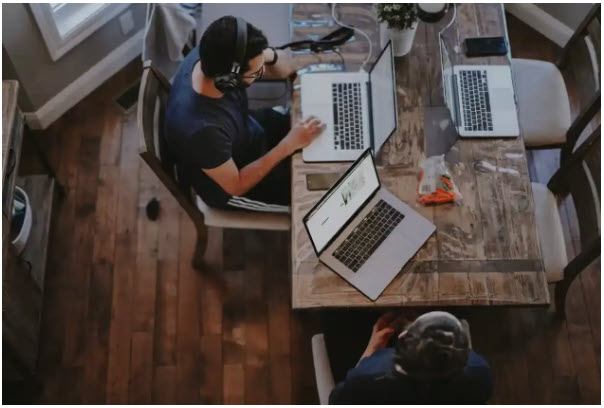
You don't need to run a production studio to get value out of this. A few examples of where it comes in handy:
● Creators turning a YouTube video into a blog post or a batch of captions for social media.
● Marketers wanting a transcript that helps their video content actually get found in search results.
● Teachers and students converting a recorded lecture into notes they can actually study from later.
● Remote teams keeping a record of meetings without someone typing notes the whole time on top of trying to actually listen.
● Journalists or researchers needing an accurate, quotable record of an interview instead of relying on memory or shorthand.
● Podcasters repurposing episodes into blog content or pulling quotes for social posts.
A Quick Word on Accuracy and Editing
No transcription tool, AI or human, is going to be flawless every single time. Background noise, overlapping speakers, heavy accents, or low quality audio can all throw off results a little. That's why most tools, including Soundwise.ai, let you review and edit the transcript before you export it. It's worth giving it a quick read through, especially if the wording matters for something official like a legal record or published article. Think of the AI as doing the heavy lifting, and your job is just cleaning up the small stuff afterward.
Bottom Line
Video isn't slowing down anytime soon, and the ability to turn it into text is quickly becoming one of those everyday internet skills, right alongside terms like "auto captioning" or "speaker ID." Tools like Soundwise.ai's video to text converter make the whole process almost effortless, cutting down what used to take hours into something you can knock out before your coffee even gets cold.
So next time you're staring at a long video with zero time to sit through it, remember there's a word for what you need, and a tool that does exactly that.
