
USB-C Portable Monitors Explained: Connectivity, Compatibility, and Setup Guide
With the rapid rise of hybrid work, business travel, and mobile entertainment, traditional fixed desktop monitors can no longer meet people’s flexible usage needs. More and more modern users are looking for lightweight, plug-and-play display solutions to expand their screen space anytime and anywhere. This is where USB-C portable monitors stand out. Whether you are an office worker needing a dual-screen setup, a traveler pursuing portable office efficiency, or a gamer wanting a mobile gaming display, a high-quality portable monitor can perfectly match diverse usage scenarios. In this comprehensive guide, we will dive deep into the connectivity features, device compatibility, and step-by-step setup methods of USB-C portable monitors, helping you use your portable display device more professionally.
What Is a USB-C Portable Monitor?
A USB-C portable monitor is a lightweight, slim, and highly flexible external display designed for mobile use. Different from bulky traditional monitors, it features a portable body, a foldable protective stand, and multi-scenario adaptability, making it far more convenient to carry and use. It has gradually become a mainstream business monitor for modern office, travel, and outdoor work scenarios.
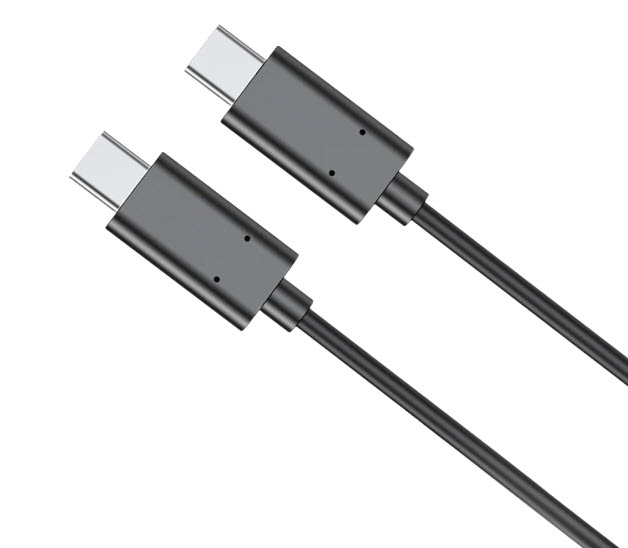
What makes USB-C portable monitors the first choice for most users is their simplified connection logic. Traditional external displays require separate power cords, HDMI video cables, and audio lines, leading to messy wiring and limited use scenarios. In contrast, mainstream products like UPERFECT USB-C portable monitors support one-cable integrated transmission. A single full-featured USB-C cable can complete video signal transmission, power supply, and audio output at the same time, eliminating redundant cables and greatly improving the convenience of mobile office and outdoor use.
Core USB-C Connectivity Standards You Need to Master
Many users encounter connection failures or abnormal screen display when using USB-C portable monitors, mostly because they do not understand the USB-C interface protocol standards. Not all USB-C ports on the market support display output. To ensure stable connection and normal use of the portable monitor, you need to clarify the three core mainstream standards:
USB-C Alt Mode (Video Output Protocol)
This is the most basic prerequisite for connecting a portable monitor. Only USB-C ports that support Alt Mode can output video signals. Some device interfaces only support data transmission and fast charging, without video output function, and cannot drive external displays normally.
USB PD Power Delivery Protocol
The USB PD protocol enables bidirectional fast power supply between devices. When connecting a portable monitor, the host device can supply power to the display through this protocol to realize plug-and-play without an external power adapter. For high-brightness and high-resolution portable monitors, sufficient PD power supply is the key to stable screen operation.
DisplayLink Compatibility Technology
For old devices or thin and light notebooks that do not support USB-C Alt Mode, DisplayLink technology is an effective alternative solution. Portable monitors built with DisplayLink chips can realize video transmission through USB data lines, solving the compatibility problem of non-video output interfaces and greatly expanding the applicable device range.
Full Device Compatibility List for USB-C Portable Monitors
Before purchasing and using a USB-C portable monitor, confirming device compatibility can effectively avoid usage failures. This type of portable display has extremely wide compatibility and can adapt to most mainstream smart devices on the market.
Laptops
All modern mainstream laptops with full-featured USB-C interfaces are fully compatible, including MacBook Air, MacBook Pro, Windows thin and light notebooks, and Chromebooks. These devices support video output and PD power supply, which can perfectly drive a portable monitor to realize extended screen or mirror screen modes. Old laptops without full-featured USB-C can be used normally by matching a professional adapter.
Smartphones and Tablets
Most mid-to-high-end Android smartphones support desktop mode and USB-C video output, which can be connected to a portable monitor to turn the mobile phone into a mini host, realizing mobile office and large-screen video viewing. In addition, iPad Pro and iPad Air series equipped with USB-C interfaces also support external display connection, which is very suitable for designers and students to expand the creative workspace.
Game Consoles and Mini PCs
In addition to office scenarios, USB-C portable monitors also perform well in entertainment scenarios. They can be perfectly connected to game devices such as Steam Deck and Switch, as well as various mini PCs, bringing portable large-screen gaming and audio-visual entertainment experience.
Step-by-Step Setup Guide for USB-C Portable Monitors
The greatest advantage of a USB-C portable monitor is simple and fast setup, no complicated driver installation and tedious debugging, and novice users can get started in one minute. The detailed operation steps are as follows:
First, take out the portable monitor and unfold the built-in foldable stand, place the display stably on a flat desktop, desktop or other placement surface to ensure stable placement. Second, use the official matching full-featured USB-C cable to connect the monitor interface and the USB-C port of the host device (laptop, mobile phone, tablet, etc.). Third, after the cable is connected stably, the monitor will automatically identify the signal and power on, and the screen will light up and display the picture normally. Fourth, according to personal usage needs, enter the display setting interface of the host device, and select mirror screen mode (consistent display of the main and secondary screens) or extended screen mode (independent display of dual screens) to improve work efficiency. Finally, adjust the monitor’s brightness, contrast, color temperature and volume through the OSD menu keys on the monitor to create a more comfortable viewing and working environment.
Common Connection Problems and Troubleshooting Solutions
Although USB-C portable monitors are easy to use, occasional abnormal situations may occur during use. The following are the most common problems and targeted solutions to help you quickly troubleshoot:
No signal display after connection
This is the most common problem, which is usually caused by three reasons: the device USB-C port does not support video output, the use of a non-full-featured data cable, or unstable cable connection. It is recommended to check the interface protocol parameters of the device, replace the original certified full-featured USB-C cable, and re-plug the cable to ensure tight connection.
Screen flickering and insufficient brightness
Screen flickering or low maximum brightness is mostly due to insufficient power supply of the host device. When the laptop or mobile phone has low power or low output power, it cannot provide stable power for the portable monitor. At this time, an external power bank or power adapter can be used to supply power to the monitor separately to ensure stable operation.
No audio output from the monitor
If the screen displays normally but there is no sound, you only need to enter the system sound settings of the host device, and manually select the portable monitor as the default audio output device to solve the problem.
Who Is the USB-C Portable Monitor Suitable For?
As a multi-functional and mobile display device, USB-C portable monitors have extremely wide applicable groups. For office workers who often go on business trips, a lightweight business monitor can help them build a dual-screen office system anytime and anywhere, improving document processing and data sorting efficiency. For remote workers and freelancers, it can break the limitation of single-screen office, realizing multi-task parallel processing and greatly boosting work efficiency.
Besides, it is also very suitable for video creators and photographers. The high-color-gamut portable monitor can restore real colors, facilitating on-site picture editing and video color grading. For gaming enthusiasts, the portable and high-refresh display can meet the needs of outdoor portable gaming and multi-screen gaming splicing.
Final Thoughts
USB-C technology completely optimizes the use experience of portable monitor, abandoning the cumbersome wiring of traditional monitors, and realizing the ultimate integration of portability and performance. With excellent device compatibility, simple one-cable connection and flexible multi-scenario use characteristics, USB-C portable monitors have become an indispensable digital accessory for modern office, study and entertainment. Whether you need a professional business monitor for daily office and business travel, or a portable display for outdoor entertainment and creative work, a USB-C portable monitor is a cost-effective and practical investment.
