
How to Make TikTok Shop Videos in Minutes with an AI TikTok Shop Video Maker
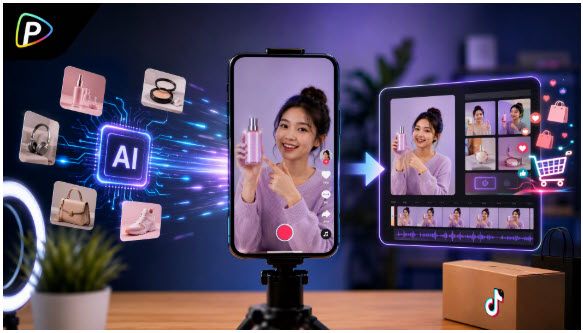
Sellers often need TikTok Shop videos quickly but may not have the time or equipment to film product demonstrations and edit several versions. TikTok Shop Video Maker from Pollo AI provides a faster alternative: users can upload product images, choose a reference ad, add the product’s key selling points, and generate a short TikTok-style video without building each scene manually.
The tool supports up to eight product images and vertical 9:16 videos. The workflow is straightforward, but the result depends on the quality of the images and the direction provided. This guide explains how to prepare the necessary materials, create a video in Pollo AI, and refine the result before publishing.
Prepare the Product Information and Visual Assets
Before creating a video, prepare clear product images, decide on one main selling point, and choose a suitable reference ad.
1. Prepare Product Images
TikTok Shop Video Maker from Pollo AI supports up to eight images. Use a mix of full product views, detail shots, and usage images rather than several similar photos. Make sure they show the same product version.
2. Define the Main Selling Point
Choose one benefit that matters to the target audience. Specific details, such as “three adjustable sections for small items,” provide clearer direction than broad claims like “high quality.”
3. Choose a Reference Ad
Select a reference from Pollo AI’s ad library or upload one. Its pacing and structure should fit the product, even if it promotes a different type of item.
How to Make TikTok Shop Videos with AI TikTok Shop Video Maker from Pollo AI
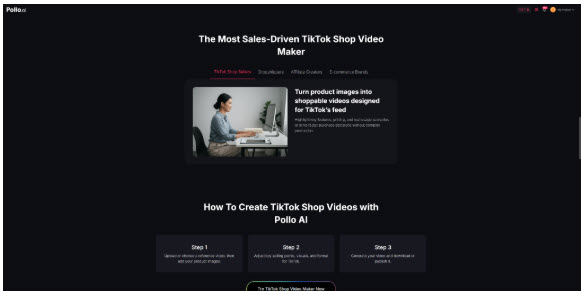
Once the product images, selling points, and reference direction are ready, sellers can create the video directly in Pollo AI. As an AI short Ad video maker, the tool uses product images and reference ads to turn key product information into a short TikTok-style video.
The following steps explain how to set up the inputs and generate the video.
1. Open the AI TikTok Shop Video Maker
Open AI TikTok Shop Video Maker from Pollo AI. The workflow is based on three inputs: a reference ad, product images, and key selling points.
Unlike tools that generate videos from a product URL, Pollo AI uses the images provided by the seller. This gives users direct control over the product visuals, but it also means the uploaded images should be selected carefully.
2. Select or Upload a Reference Ad
Choose a suitable video from the built-in TikTok Shop ad library, or upload a reference video.
Focus on the reference’s structure rather than its product. Consider how it captures attention, when it introduces the item, and whether the pacing suits the product. For example, a reusable water bottle may work well with a quick product reveal followed by short demonstrations of its features.
The reference is used to guide the style and flow of the new video. It should not be treated as a template for copying another brand’s claims or product details.
3. Upload the Product Images
Upload up to eight product images. A combination of a full product view, detail shots, and real-world usage images usually provides more useful material than several similar catalog photos.
The product should be clearly visible in each image. Avoid photos where it is too small, heavily covered, or surrounded by unrelated objects. The images should also show the same product version. If the video is intended to promote a specific color or model, use images of that version only.
4. Add the Key Selling Points
Enter the product information that should appear in the video. This can include the main benefit, a useful feature, or a common problem the product helps address.
Keep the wording factual and focused. For example, “Three adjustable sections help organize cosmetics and small accessories” is more useful than “An amazing organizer everyone needs.” The first statement gives the tool a clear feature and avoids a vague promotional claim.
There is no need to include every specification. Too much information can make a short video feel rushed. The seller should prioritize the details that are most likely to help viewers understand the product.
5. Set the Video Format
Choose the available video settings before generating the result. Pollo AI supports a vertical 9:16 format and short video durations, including approximately 16-second videos.
The product and its main benefit should be understandable within the selected duration. If the product requires a detailed explanation, it may be better to create separate videos for different features rather than compress everything into one short clip.
6. Generate the Video
Review the reference, product images, selling points, and settings, then start the generation.
Pollo AI uses these inputs to create a TikTok-style product video. The first result may not always emphasize the intended feature or follow the reference exactly. When that happens, the seller can adjust the input that is most closely related to the issue. A different reference may improve the pacing, clearer images may improve product presentation, and more specific selling points may shift the message.
7. Review the Result
Watch the completed video before publishing. The product should be recognizable, the main benefit should be clear, and the video should be easy to follow on a mobile screen.
The seller should also check any generated text and confirm that product details, prices, promotions, and other claims match the current listing. If the video promotes a particular color, model, or offer, the linked product should match what viewers see.
8. Export and Publish the Video
Once the video is approved, export it and upload it to TikTok. Attach the correct TikTok Shop product during the publishing process so viewers can access the relevant listing.
Before posting, check that any promotion mentioned in the video is still active. A video can become inaccurate when a price changes or a limited-time offer ends.
How to Improve AI-Generated TikTok Shop Videos
After generating the first version, sellers can test a few focused changes instead of rebuilding the entire video.
1. Test Different Hooks
Try different openings for the same product, such as a customer problem, a quick demonstration, or an immediate product reveal. Change one element at a time so the results are easier to compare.
2. Create Versions for Different Audiences
Adapt the same product to different use cases. For example, a storage box could be presented as a desk organizer in one video and a travel accessory in another.
3. Try Another Reference Style
A different reference can change the video’s pacing and scene flow. Choose a demonstration-focused style for products with visible functions or a lifestyle format when everyday use is the main appeal.
4. Keep the Message Focused
Each video should highlight one main benefit. If the product has several important features, create separate versions rather than trying to explain everything in one short video.
Conclusion
An AI TikTok Shop video maker can help sellers create short product videos without filming every scene or editing a full timeline.
With AI TikTok Shop Video Maker from Pollo AI, users can upload product images, select a reference ad, add key selling points, and generate vertical TikTok-style videos through a simple workflow.
Better results usually come from clear product images, a focused message, and a reference that fits the product. Reviewing the generated video and testing a few targeted variations can help sellers create content that is accurate, easy to understand, and suitable for TikTok Shop.
