
How Internet Slang and Localized Search Terms Shape Messaging App Onboarding
Messaging apps are often discovered through more than one official product name. Users may search by a brand name, an abbreviation, a translated phrase, a regional nickname, or a feature-based description. This is especially common when an app is used across different countries, languages, and online communities.
For new users, these search habits can make onboarding easier or more confusing. A familiar local term may help someone find a guide quickly, but it may also lead them to unofficial pages, outdated instructions, or modified installers. That is why internet slang, localized search terms, and clear setup documentation all play an important role in how people join modern communication platforms.
Messaging app onboarding is no longer only about downloading an app and creating an account. Users also need to understand official sources, language settings, privacy controls, login verification, and cross-device use. When the terms people search for do not match the official naming used by a platform, clear guidance becomes even more important.
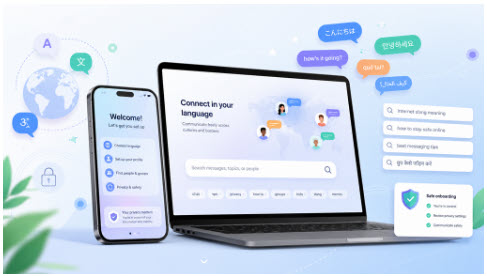
Why Users Search With Localized App Names
People rarely search in exactly the same way. One user may type the official English name of a messaging app, while another may search for a translated version, a short nickname, or a phrase commonly used in local online communities. In some regions, an app may be known by several names at the same time.
This behavior is natural. Users want instructions that match their language, device, and level of experience. They may not be looking only for the app itself. They may also want help with registration, interface language, verification codes, desktop access, mobile setup, or privacy settings.
For platform owners, bloggers, and technical writers, this means onboarding content should not ignore localized search behavior. A useful guide should explain what a term means, whether it refers to an official app, and what users should do next.
Internet Slang Can Help or Confuse New Users
Internet slang is useful because it makes communication faster. Short terms, abbreviations, and local nicknames often spread quickly through forums, social media, chat groups, and tutorial pages. They help users talk about apps in a familiar way.
However, slang can also create confusion. A new user may not know whether two different names refer to the same app or different products. Another user may assume that a localized phrase means there is a separate version to download. In some cases, low-quality websites take advantage of this confusion by offering unofficial files or misleading setup pages.
Good onboarding content should reduce this uncertainty. It should explain common terms clearly, avoid exaggeration, and guide users toward safe installation and correct settings.
Localized Search Terms Need Clear Explanations
When users search for a messaging app in another language, they often want practical answers. They may ask whether the app supports their language, whether a separate localized version exists, how to change the interface, or where to find a safe download source.
For Chinese-speaking users, a clear guide to telegram 中文版 can help explain whether users need a separate localized app, how to find official setup information, how registration works, and how to adjust language settings safely.
This type of explanation matters because the safest path is not always obvious to beginners. A user may see many similar pages in search results and may not know which one is trustworthy. A good guide should make the distinction between official app installation, language settings, third-party language resources, and unsafe modified installers.
Safe Setup Should Be Part of Onboarding
Clear terminology is only one part of onboarding. Users also need safe setup habits. Before installing a messaging app, they should verify the official website, app store listing, developer name, update channel, and permissions requested by the app.
Unofficial installers can create unnecessary risk. They may include unwanted software, ask for excessive permissions, or redirect users to unrelated pages. On mobile devices, modified installation files can be especially risky because users may not immediately notice that the package has been changed.
Onboarding content should therefore encourage users to install apps from official or trusted sources first. Language settings and interface changes should come after safe installation, not before it.
Cross-Device Use Makes Guidance More Important
Many messaging apps are used across smartphones, desktop computers, tablets, and web browsers. This makes communication more convenient, but it also adds complexity. Users may need to understand active sessions, login codes, QR code sign-ins, desktop clients, and device removal.
If a user signs in on a shared computer or temporary browser, they may forget to log out. If a phone is lost or replaced, old sessions may remain active. If someone asks for a verification code, a beginner may not understand the risk of sharing it.
For this reason, onboarding guides should include basic security reminders. Users should review active devices, remove unfamiliar sessions, avoid sharing login codes, and enable extra account protection where available.
Better Language Support Reduces Setup Mistakes
Good language support helps users feel confident. When instructions are written in a language users understand, they are less likely to rely on random download pages or incomplete advice. They can follow official setup steps, adjust settings correctly, and recognize unsafe shortcuts.
Clear language also reduces support problems. If a guide explains common terms, registration steps, privacy settings, and safe download behavior in one place, users do not need to search across many unrelated websites. This improves both user experience and security.
For global messaging platforms, localized onboarding is not only a convenience feature. It is also a trust signal. Users are more likely to follow safe setup practices when the information is easy to understand.
Conclusion
Internet slang and localized search terms shape how people discover and understand messaging apps. They help users find familiar explanations, but they can also create confusion when different names, abbreviations, and unofficial pages appear in search results.
The best onboarding content connects these search terms with clear, safe, and practical guidance. It should explain what users are searching for, how to install apps from trusted sources, how to adjust language settings, and how to protect accounts across devices.
As messaging apps continue to serve global communities, localized guides will remain important. They help users move from search confusion to safe setup, clearer communication, and more confident use of digital messaging tools.
