
Capture Creative Depth Effects Using AI Background Generator
3-D effects provide images with a feeling of volume and reality. They form layers which give direction to attention and focus subjects. Depth in visual storytelling is what makes the difference in the way an image is experienced. It renders two-dimensional pictures active and captivating. Using modern tools, artificial intelligence can transform two-dimensional designs into multi-dimensional ones that are alive. You can capture this depth of creativity with the aid of the AI background generator on CapCut Web. With it, you can turn a regular image into an incredible piece of art.
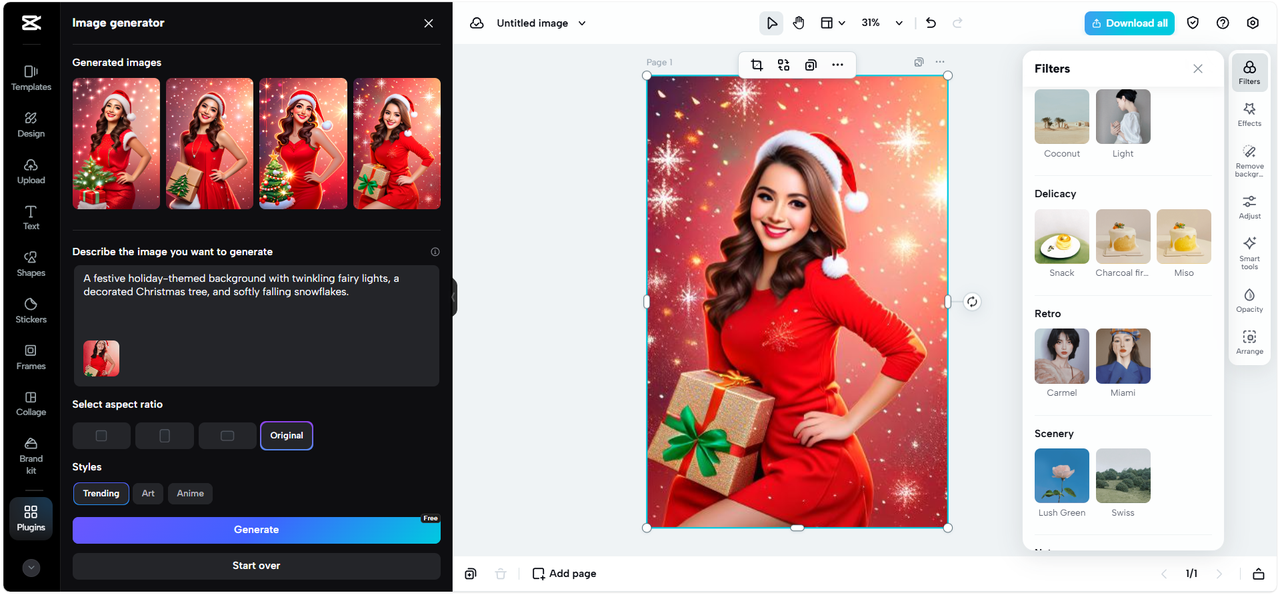
The Concept of Depth in Digital Backgrounds
Photographic depth is generally determined by shallow or deep focus. Shallow focus brings out the subject and blurs the background. Deep focus holds all the details to be crisp. In digital design dimensionality depends on perspective and stratification. You give your images a three dimensional effect when you add layers, objects, blur, and transparency. With CapCut Web, you can replicate the effects of using cinematic foci using AI-based tools. You may create backgrounds that can draw the audience into the picture and make every composition unique.
Tools That Enable Depth Effects in AI Background Generator
CapCut Web contains a number of editing options that add depth. The blur options allow you to blur out background without blurring the subject. Transparency tools come up with superficial images in which layers mix. AI separation sees the subjects against their backgrounds and isolates them to edit them specifically. Gradient layering gives you a chance to manage transitions between light and dark regions to make images more smooth and natural. These instruments blend to bring about a depth that is realistic.
The importance of depth effects in visual design
Depth is not just a style. It enables a realism effect in digital compositions and makes images look realistic. Even the simplest designs can be powerful when you use some cinematic depth effects. Depth gets attention immediately in social media projects. In business branding, it provides sophistication and power. Three-dimensional visuals are emotional and more engaging. Using CapCut Web, you can edit with the advanced editing tools like a video editor to add meaningful depth. Layered design principles help to make every project more immersive.
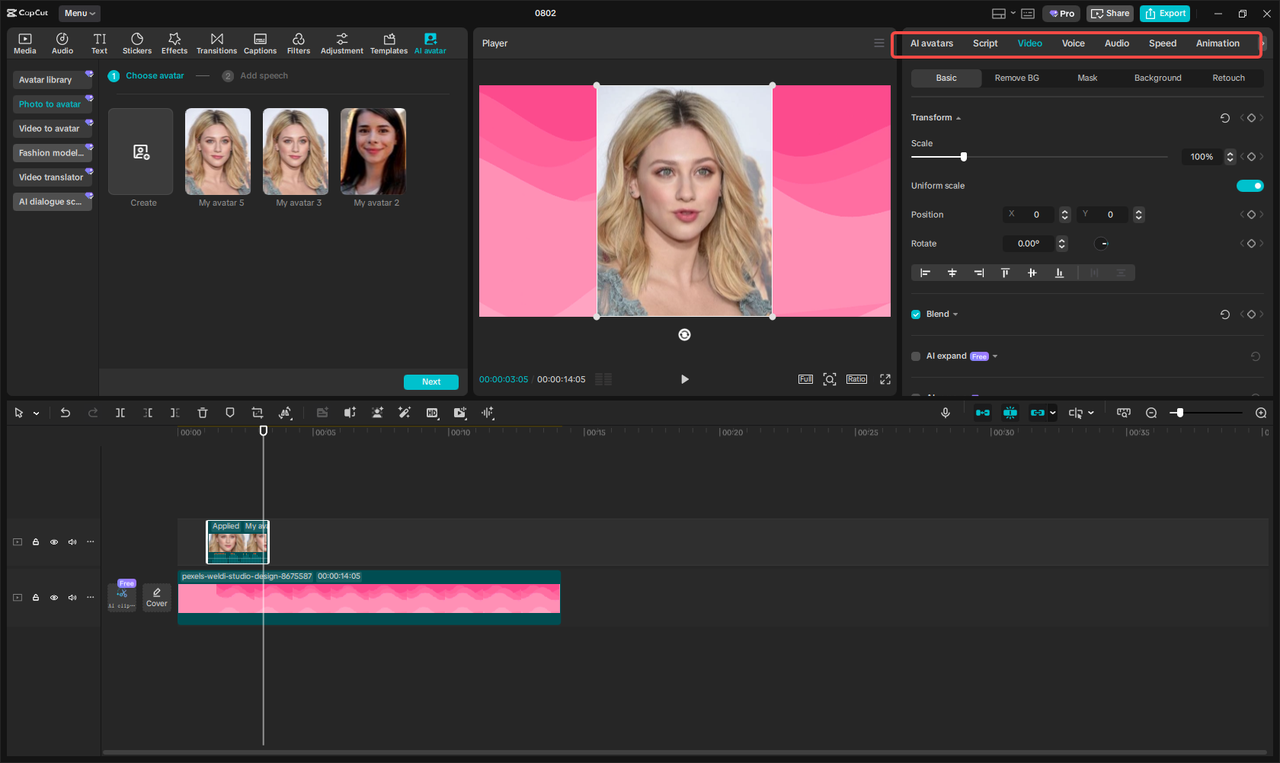
Steps to Capture Creative Depth Effects Using AI Background Generator
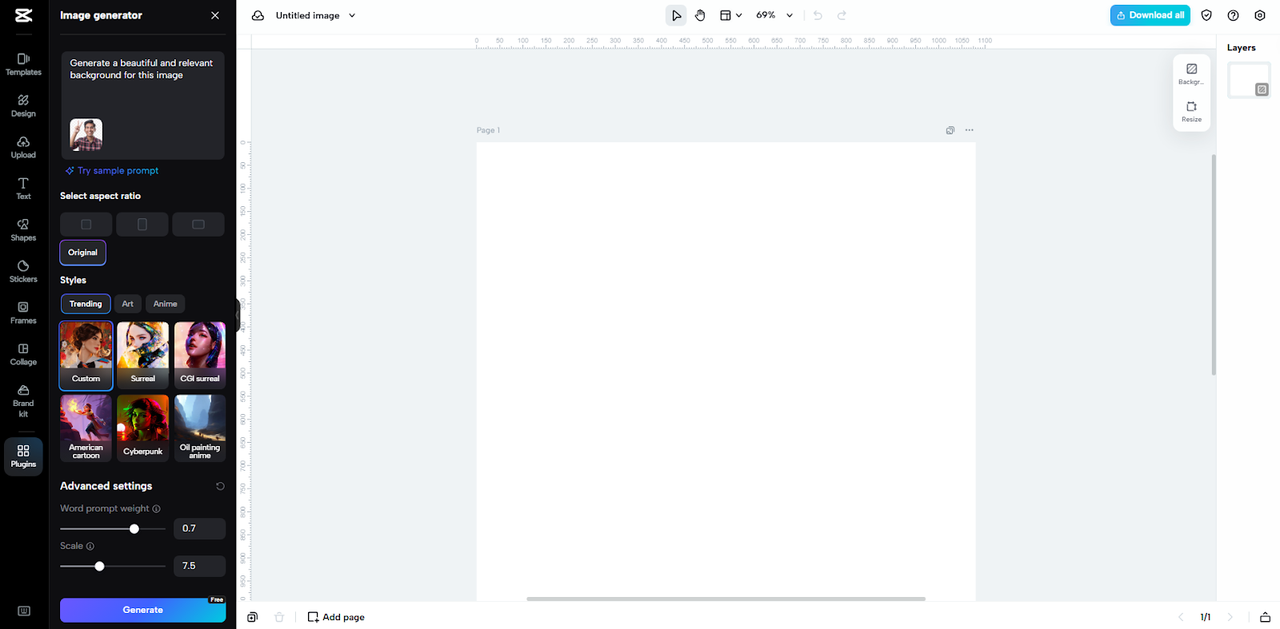
Step 1: Open the creative workspace
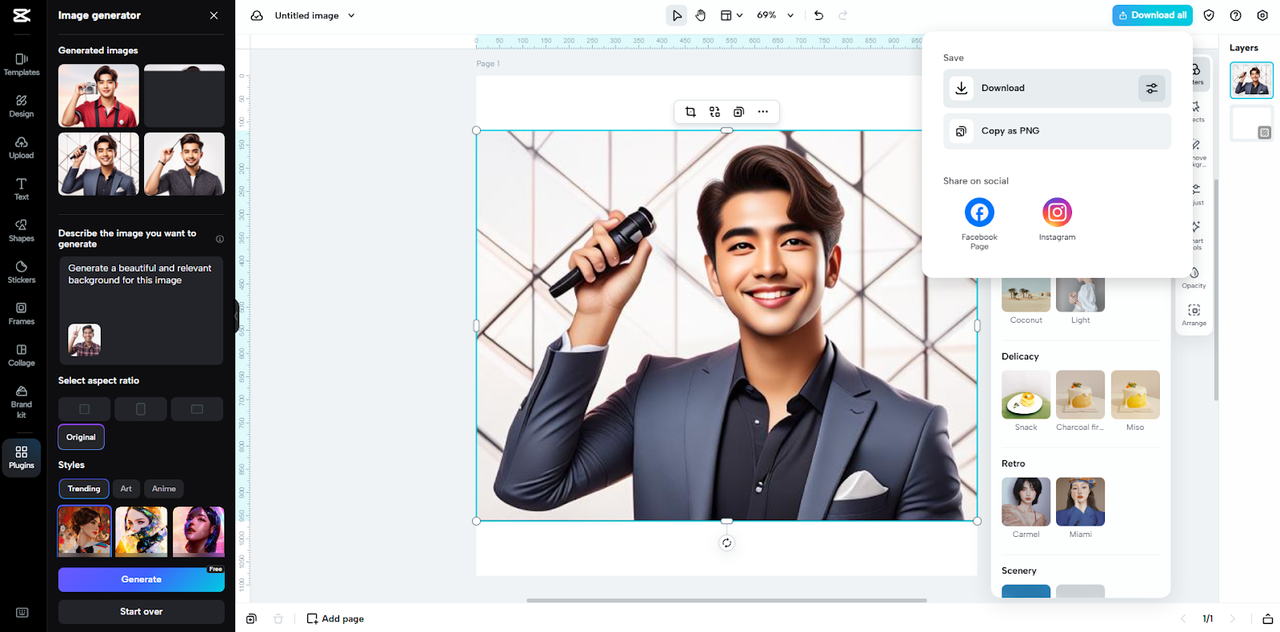
Log in to CapCut and choose "Image" from the main menu. Then select "New image" to land in the editing interface.

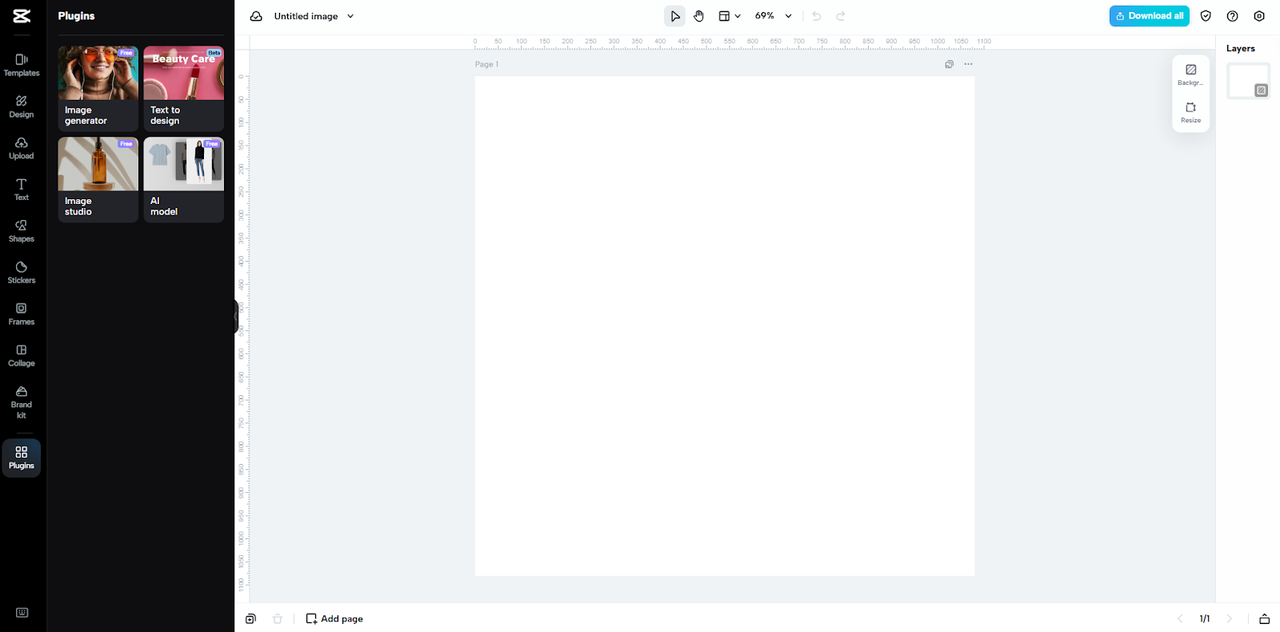
Step 2: Generate depth-inspired designs
After uploading, explain what background you desire. Use an appropriate aspect ratio and style to add a three-dimensional quality to your image. Slide the word prompt weight and scale using the advanced settings. Moving it up causes the picture to fit snugly to your prompt and reference picture. When done, click "Generate". There are also filters, effects, stickers or animations that you can apply to create even greater layered effects.
Step 3: Export with quality control
If you are happy with the result, hit "Download all" at the top right. Then press "Download", and adjust format, image size, and quality. You can also copy it as PNG and apply it to any project.
Advanced Techniques for Capturing Depth
You can go a step further by integrating textures together with depth-of-field effects. The method is useful in creating depth on surfaces and environments. Make foreground and background distinctly separate through color contrasts. Darker backgrounds that produce bright highlights in the foreground produce instant depth. Intensity of light contributes also. The perspective is highlighted by a spotlight on the subject with paler lighting in the background. CapCut Web gives you the chance to combine all these to create images that appear to be cinematic. You have more control over storytelling because further AI-enabled designs and creative manipulations can be combined.
Creative Scenarios Where Depth Effects Shine
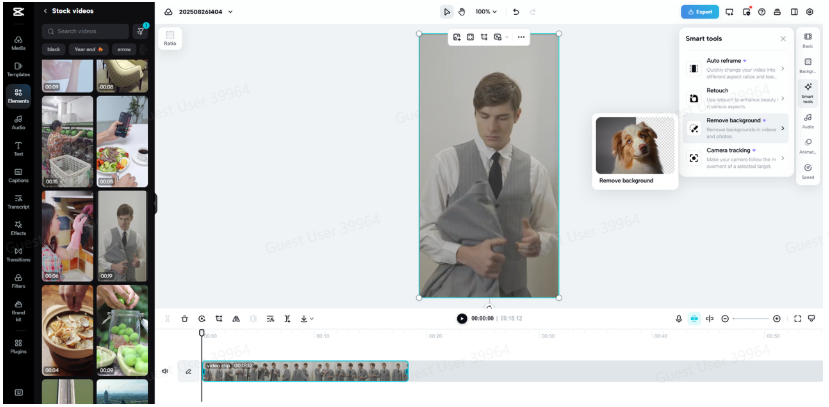
The depth effects are useful in most of the creative work. In the case of cinematic posters, the subjects look bigger than life due to layered backgrounds. Depth in portraits provides the distinction between the individual and the surroundings, clarity and emotion. Layered effects are used to emphasize design elements and distinguish products in the case of product showcases. Depth is an advantage to social media campaigns since they require immediate attention. With CapCut Web and features such as background remover, you will be able to isolate elements and create a scenario that looks professional. Such situations underscore the direct effect of depth on impact.
Imaginative richness converts visuals into narratives that work. It gives any picture depth, authenticity, and feeling. Using CapCut Web, you will be able to add depth and use sophisticated editing effects as well as artificial intelligence-based separation tools. Spanning blur adjustments to gradient layering, each tool contributes to the production of immersive visuals. You may be a poster designer, portrait or campaign designer and depth makes you unique. With CapCut Web, you get access to a stable Internet source that allows you to have easy, sophisticated background design. Depth is not a single attribute, but it is the essence of significant visual art.
